
Share Every Insight.
Amplify is where your analysis reaches your people, on the web and in the Amplify app for iPhone, iPad and Android. It works on its own, so upload any video and code clips right in Amplify, or bring in timeline data as JSON or SportsCode XML. With Angles it is better still, as every clip, note and angle arrives ready to share.
On the Web
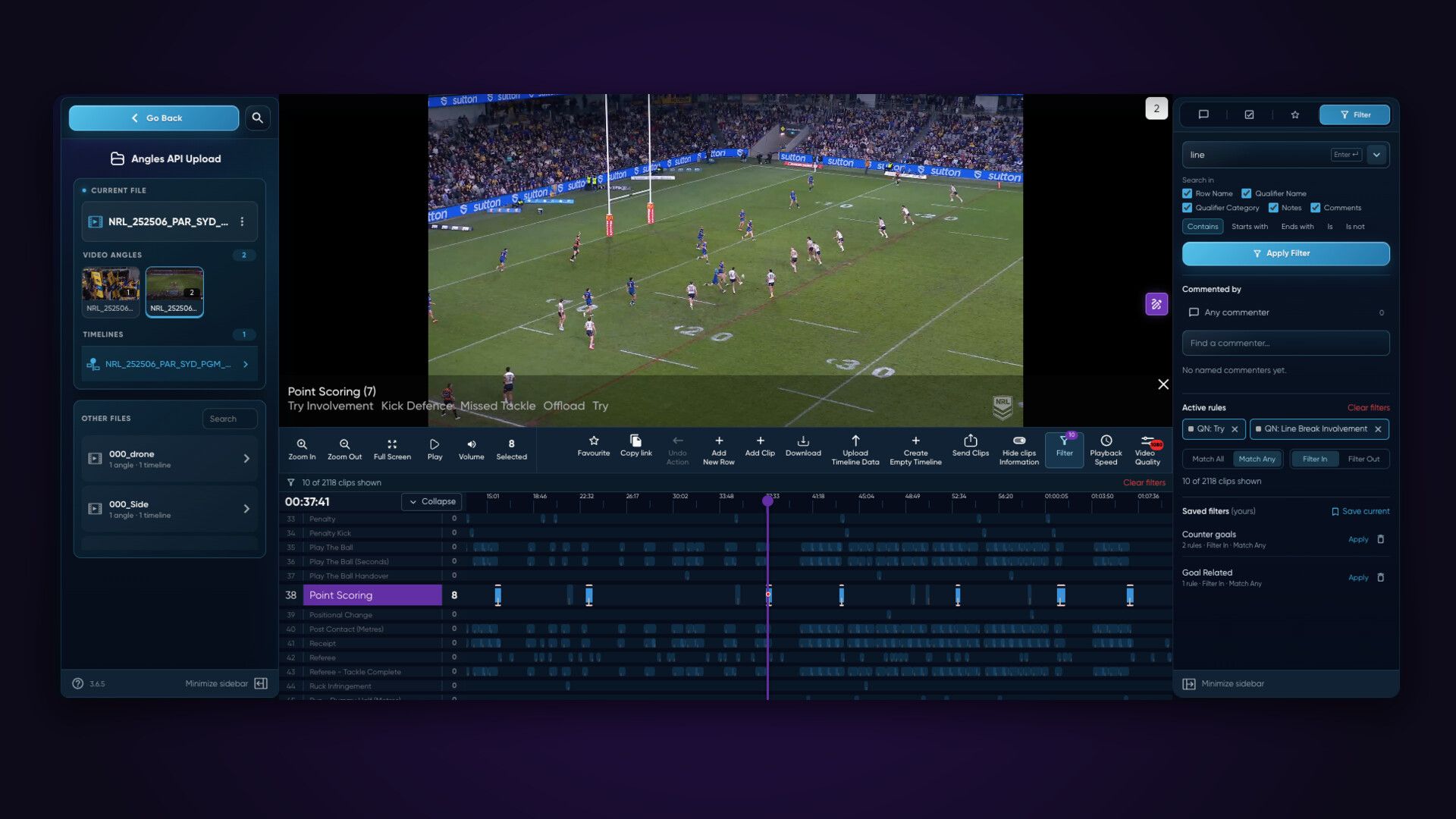
Step frame by frame, play from quarter speed to double, and run it all from the keyboard. Switch angles, filter the timeline by row, qualifier, notes or comments, and save the filters you use most.
In the App
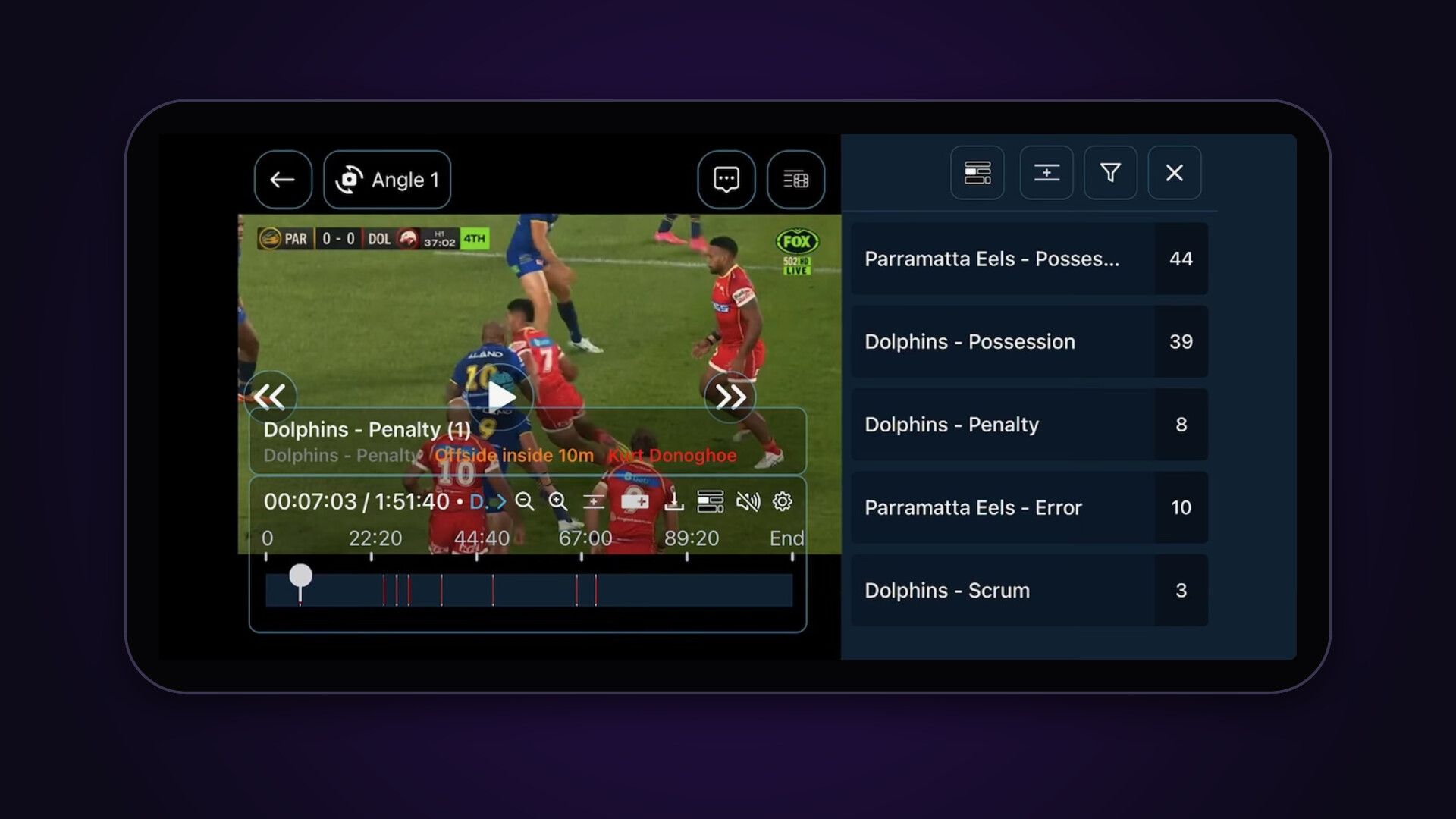
Swipe to change angle, pinch to zoom, step frame by frame and loop a clip, on iPhone, iPad and Android. Pick a row, see how many clips it holds, and step from clip to clip.
From the Analyst to the Whole Team.
Drag in a vault from Angles or upload any video, and Amplify gets it ready for every screen. Share it with the people who need it, let them know it is there, and talk it through together, right at the moment that matters.
A Place for Everything.
Amplify keeps your content in folders that follow the way your club already works, so this week’s review never ends up buried under last month’s training.
Folders and Subfolders
Organise by team, competition, opposition or session, as deep as you like. Give a folder its own thumbnail and pin the files you keep coming back to.
Collaborative Folders
Share a folder with the other analysts and coaches, and everyone uploads to the same place. The upload admin no longer sits with one person.
Restore What Was Deleted
Deleted files and folders wait in Deleted Content for 30 days. Restore puts them straight back where they were.
Build a Reel in Seconds.
Search every clip you can see, across every folder, and send the lot to an Online Composer in a few taps. A reel of every set piece this season takes seconds.
Search Everywhere
In the app, search clips, qualifiers, notes and comments across every folder, or narrow it to the folders you choose.
Straight Into a Composer
Select every match and send them to a new or existing Online Composer, grouped into topics by row.
Favourites Along the Way
Favourite clips as you review on the web, then send them all to a Composer when you are done.
Open on the Best View
Lock the best view for any clip, in Angles or on the web, and when it plays it flicks straight to the view you chose.
Clips of Their Own
With Edit & Re-Share access, people can add their own clips to a timeline on the web or in the app, change a clip’s length or remove it. Comment & Create lets them build Composers of their own from what is shared with them.
From Any Source, Without the Wait.
Upload from Piston, Angles or any camera. Footage reaches players and staff while the session is still fresh, and nobody waits on one giant file.
From Piston
Piston uploads sessions while they are still recording, straight from the server after capture, or from a local session on an iPad or iPhone.
From Angles
Drag in the vaults you built in Angles, the Composer cut and ready to play with every clip and angle in place. Sending only the reviews people need saves upload hours.
From Any Camera
Upload MP4, MOV or M4V, up to four angles together, with timeline data as JSON or SportsCode XML. Angles that are already lined up, from Piston or another provider, go up without a package.
Fast Now, Complete Later
Put the main angle up first and add the others when you can. If the connection drops, the upload picks up where it left off.
Built Around Your Organisation.
Amplify mirrors the way sport is organised, from a league or conference down to a single position group. Everyone sees what they should, and nothing they should not.
From League to Team
A league, conference or club group shares down to every team in it. Each team, one per club or school and sport, runs its own users, storage and upload hours.
Groups and Subgroups
Set up players, coaches and medical staff as groups, and positions or units as subgroups. Each gets its own access, and a subgroup’s access comes before its group’s.
Roles and Access
Organisation Admins run the club, Analysts upload, build and share, and Viewers watch what is shared with them. Access runs from View to Edit & Re-Share, and downloads stay off unless you allow them, so you decide who can keep a copy.
One Login, Every Organisation
Staff who work across clubs, sports or the league itself belong to each organisation with its own role, and switch between them from one account.
Send to Anyone
Share Externally sends a download link to people who do not have an Amplify account, and the link expires when you choose.
Smooth, Sharp and Close to Home.
Amplify runs in the region you choose, so video plays smooth and sharp wherever your people are, and your footage stays where your IT team needs it.
Six Regions
Sydney, US East, London, Ireland, France and São Paulo, each on Amazon Web Services.
High Quality Playback
Every angle is processed for the web and for phones, and streams from the region closest to your people.
Your Data, Your Region
Your footage is stored in the region you choose, which answers the first question IT and procurement ask.
Simple to Pay For.
Most video platforms for sport charge you for what you store. Amplify charges once, for the hours of video you upload, so there is no storage to manage.
Pay for Upload Hours
Pay for what goes up, when it goes up. A minimum of three years of storage is generally included in your plan, so there is no storage limit to watch and no need to delete old footage to make room.
A Library That Looks After Itself
Send Composers and timeline archives you built in Angles instead of whole events, and save your upload hours for the content your people will actually engage with.
Download Hours
Anything you upload can be downloaded again. Online Composers built in Amplify from several videos are made new, so downloading them uses download hours, an add-on to your plan.

Empower Your Team.
Get your analysis in front of the people who need it, on every screen, organised the way your club works. Use it on its own, or with Angles and Piston.