
Capture. Stream. Network. One System.
Cameras in, every angle recorded, live out to every device and platform, with the venue network built in.
Any Venue. Any Device. Any Workflow.
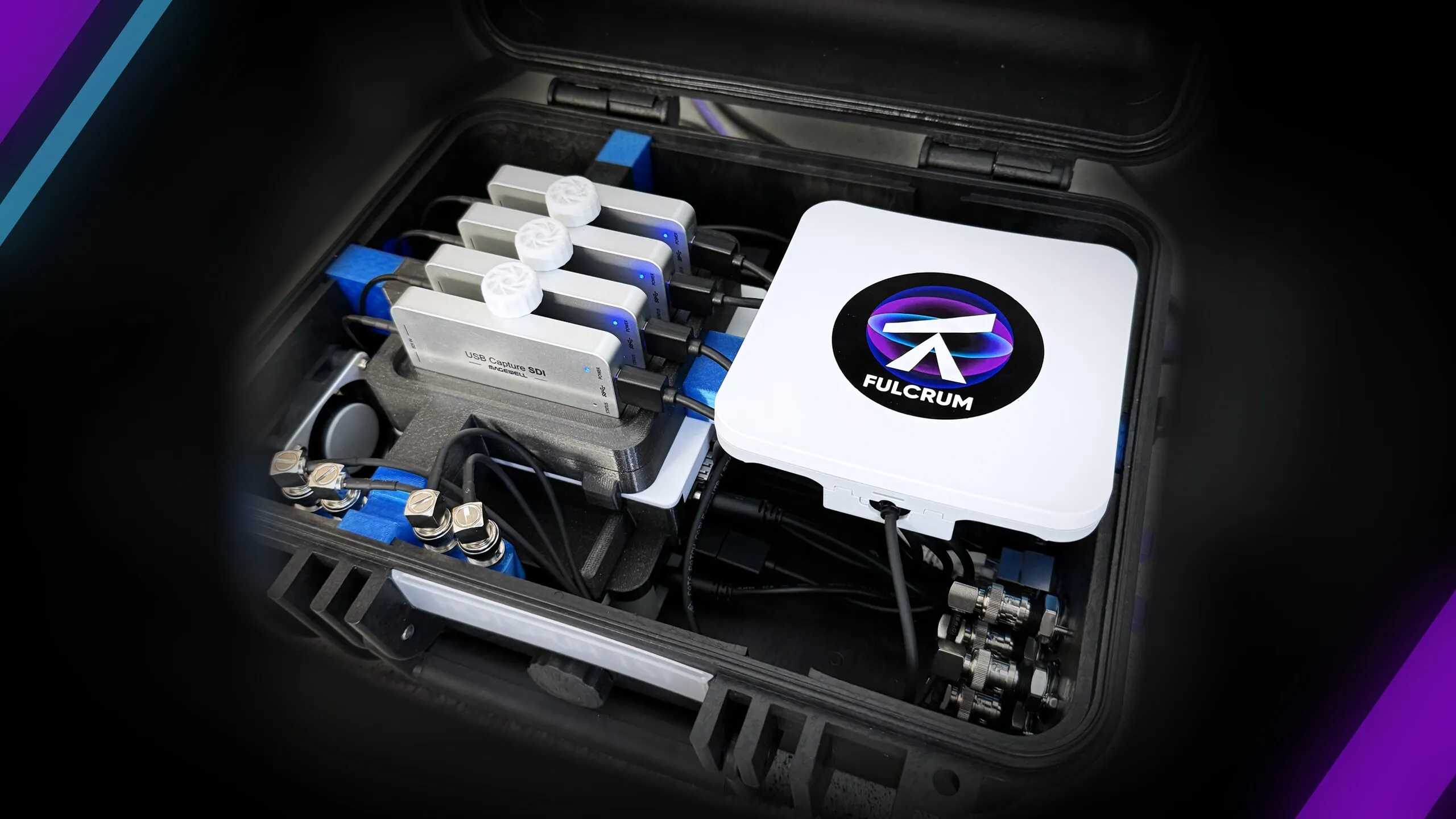
Piston is a complete capture, recording and networking system that works in any environment, and takes the video load off every computer in your workflow. A Piston system can be deployed as a portable field unit or as a permanent rack-mounted setup at your training ground.
Flexible Deployment
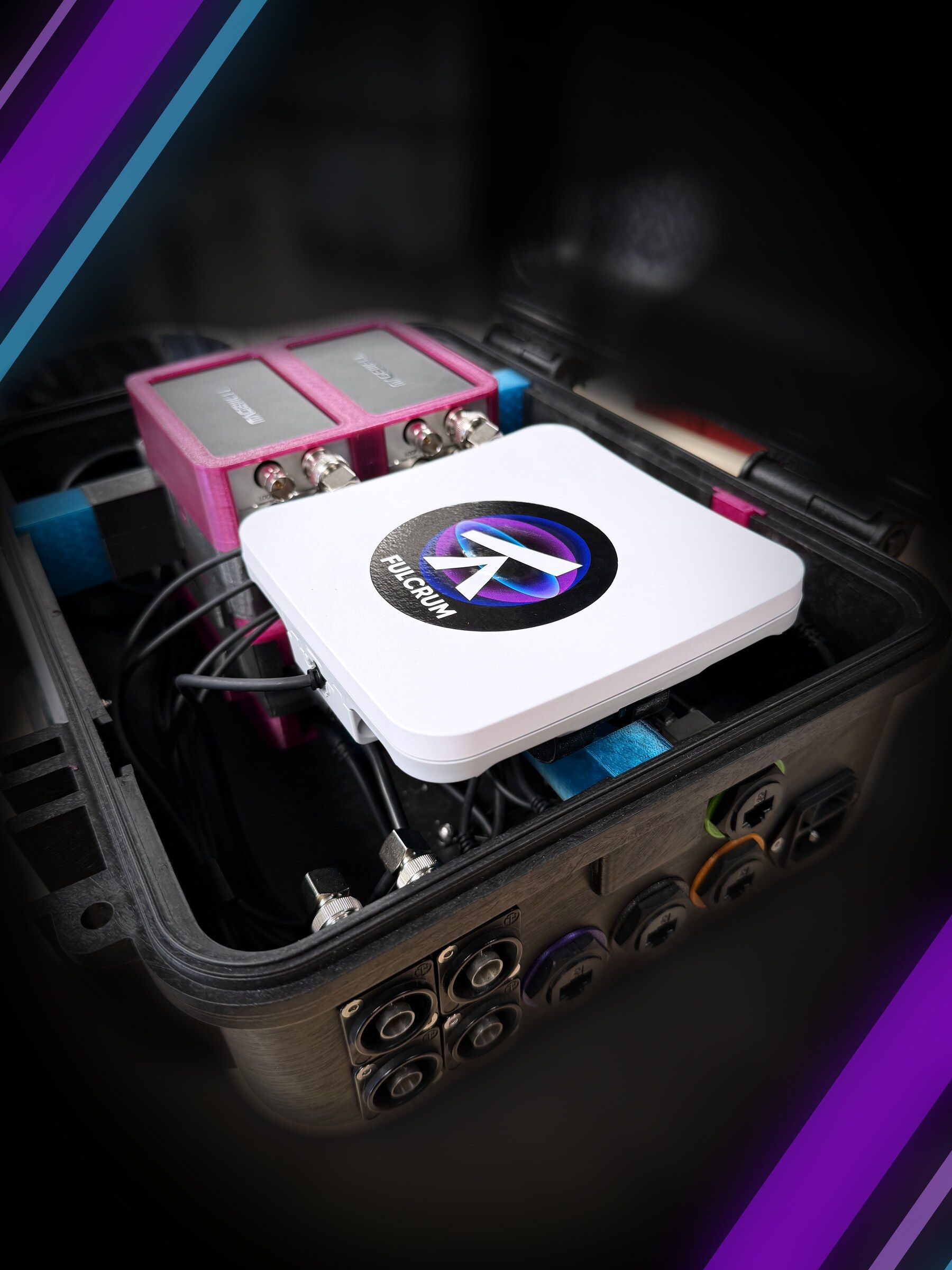
Dedicated Hardware Reliability
We provide the exact hardware solution tailored to your specific needs. Engineered for versatility, Piston can be deployed as a rugged, portable unit for rapid field setup or integrated as a permanent "racked" solution within your stadium’s existing infrastructure.
Multi-Device Review
Unlimited Devices. No Licensing Friction.
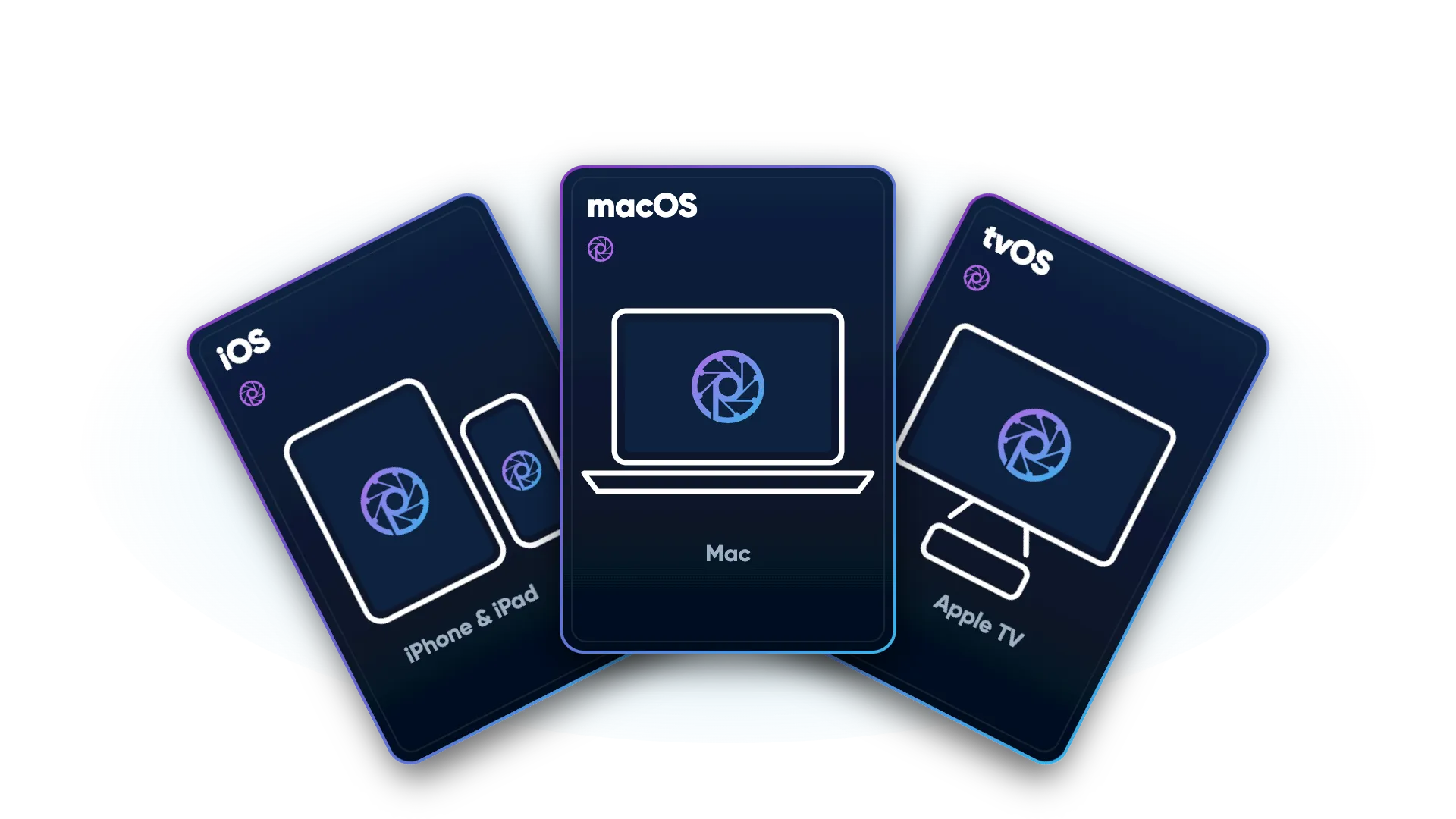
Deliver instant feedback to every member of your staff. Piston is accessible via any web browser or our native apps for iPhone, iPad, Mac and Apple TV, with no per-user license fees.
Workflow Agnostic
Keep Your Software. Power It With Piston.
Piston is a universal capture manager. Whether you use the full Fulcrum ecosystem or another analysis tool, Piston manages your live video and data with total flexibility.
From the Camera to Every Device
One Piston system per venue records every angle. The bench, the coaches box, the medical room and the officials all work from it at once, and every session can be in the cloud by the time the teams leave.
- 01
Capture
Your cameras, at the positions your sport needs, wired to the venue network. IP, SDI and HDMI sources all come into the same system, with the scoreboard and clock alongside.
- 02
Sync
One Piston system records every angle together, frame-accurate, for the whole event, not just the moments someone remembered to mark. How many angles one system takes depends on the hardware you choose, and we build it to suit.
- 03
Review
The free Piston apps run on iPad, iPhone, Mac and Apple TV, and Windows, Android and ChromeOS come in through the browser. Angles on a Mac takes Piston's video directly as an operator station, and its clips land back in the session within seconds. Stream every angle to broadcast & streaming platforms such as YouTube, Facebook Live, Twitch and Vimeo.
- 04
On site
Coaches, analysts, medical staff and officials all pull from the same system on the built-in Piston network. Markers made on one device appear on every other. No second capture, no duplicate rig, and no charge per device or per user.
- 05
Share
The same system uploads every event to Amplify during play and after it, so players and staff who weren't there have it on any device, home or away.
- —
Control Centre
Sits underneath all of it. One view of every Piston system's health, storage, recording schedules, software version and credentials, so a venue never needs local expertise to keep its system running.
- 07
The Whole System
One Piston system per venue, from the cameras to every device on site, into the cloud with Amplify for everyone else, and looked after from Control Centre. Nothing to stitch together, and nothing charged per device or per user.
A Typical Game Day
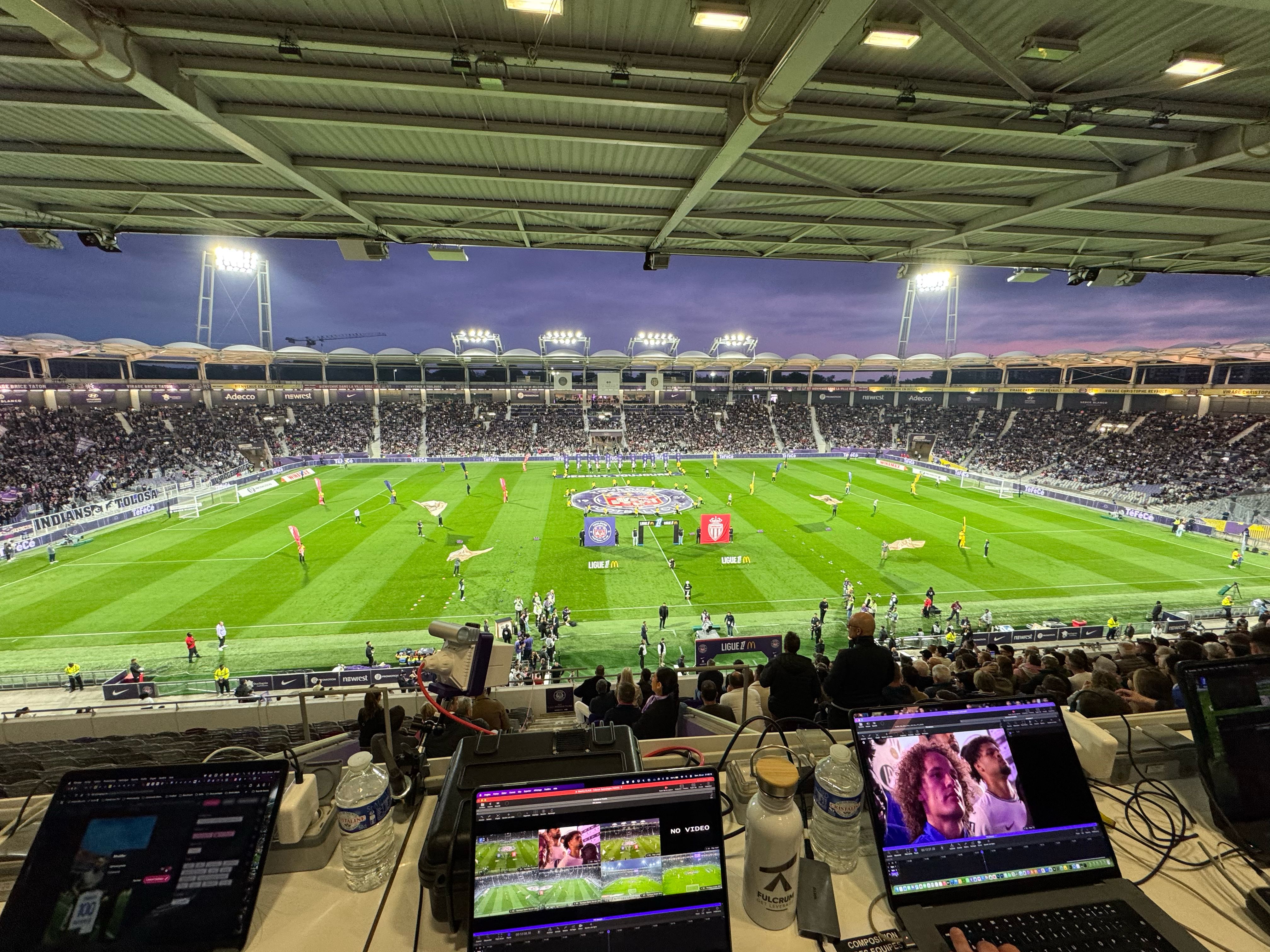
Piston sits with the analyst in the stand. A point-to-point wireless link carries every angle down to the bench, where the coaching staff review on iPads over the bench's own Wi-Fi. No cables across the field, and no reliance on the stadium Wi-Fi.
The Piston App, In Your Hands
Free native apps for iPhone, iPad, Mac and Apple TV, built for review under pressure.
Multi-Angle Playback
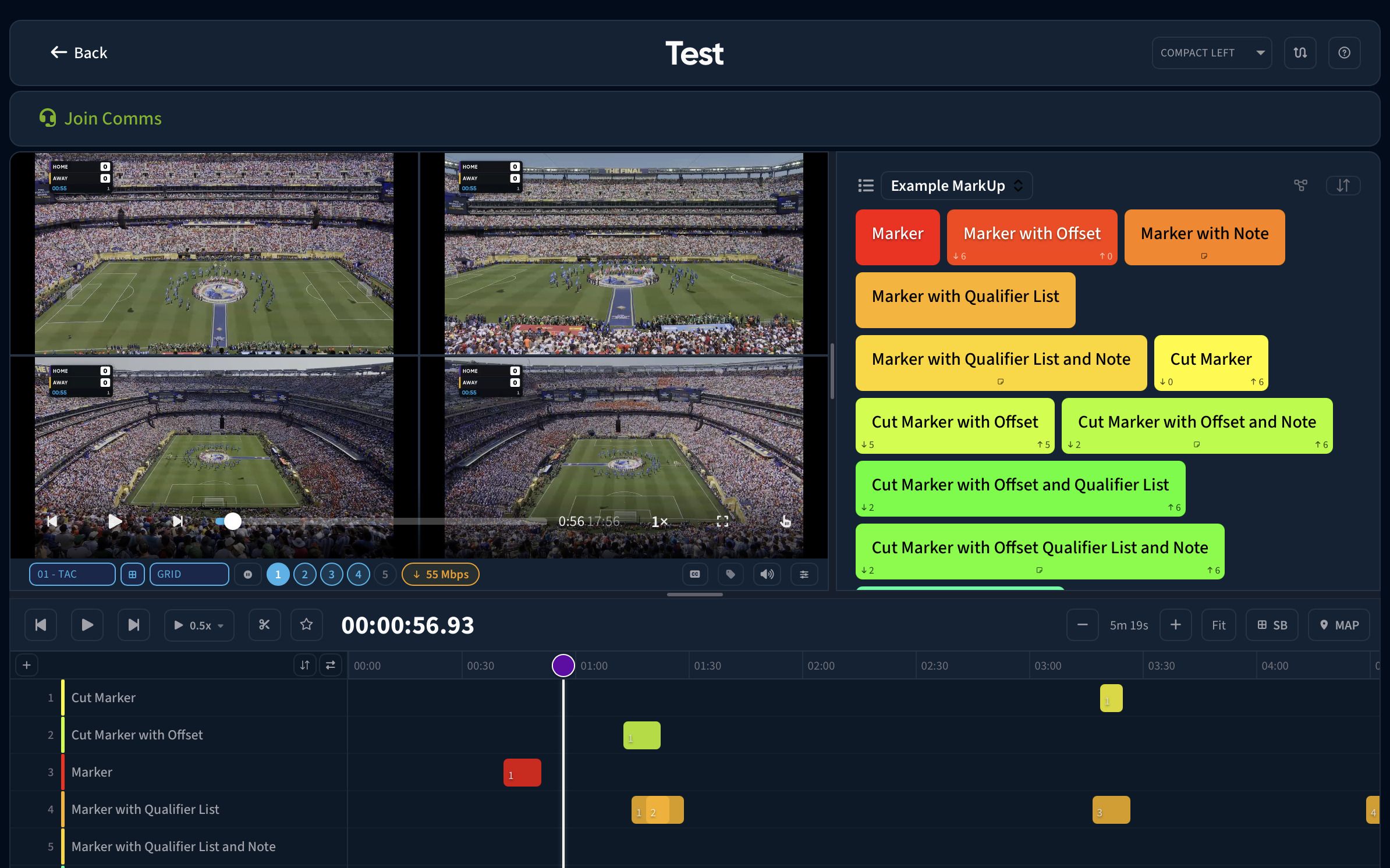
Watch several angles side by side in split screen, pick a preset layout or choose the angle for each pane, and pinch to zoom into any of them.
Mark Events Together
Mark events on the timeline with your own customisable MarkUp buttons. Several analysts can code the same session from their own devices, and every marker appears on every device in seconds.
Draw on the Play
Use on-screen drawing and telestration tools directly on the live or recorded feed. Turn any replay into a visual coaching moment instantly.
Compare Clips
Load similar clips side by side to highlight tactical trends or technical improvements through synchronised playback and detailed visual analysis.
Localise for the Breaks
Pull the session onto the device as it records, then walk away from the Wi-Fi. At the break or in the changing room, every angle is already on the iPad.
Composer
Build a presentation from cuts across sessions, arrange the order, add clips from the camera roll and swipe through it for the half-time talk.
Enhanced Screen Recording
Create shareable educational content. Record your screen with voice audio, drawings and comparisons to deliver clear, actionable insights to your team.
Share to Amplify
Send a session with every marker and note, or merged cuts, straight to Amplify. Interrupted uploads pick up where they left off.
Built Into Every Piston Server
Nothing to install. Open a browser on the venue network and the whole toolkit is there.
Review every angle in the browser, with multi-angle layouts, frame-accurate keyboard controls, MarkUp buttons for marking events, and touch controls for any tablet.
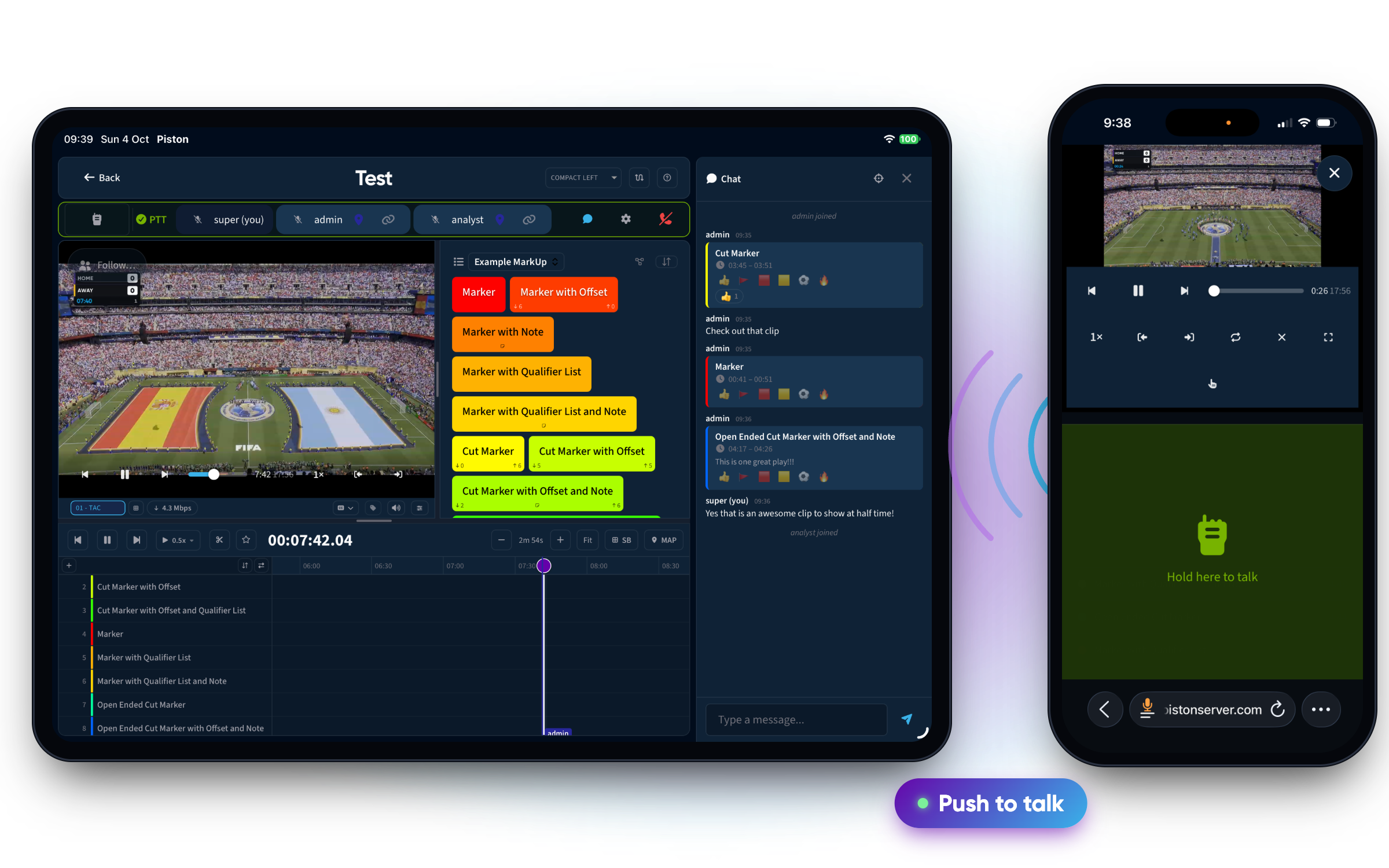
Push-to-talk voice and chat inside the review page. Tap a colleague to follow their playhead, angle and pauses, so the whole room reviews the same moment without a word of direction.
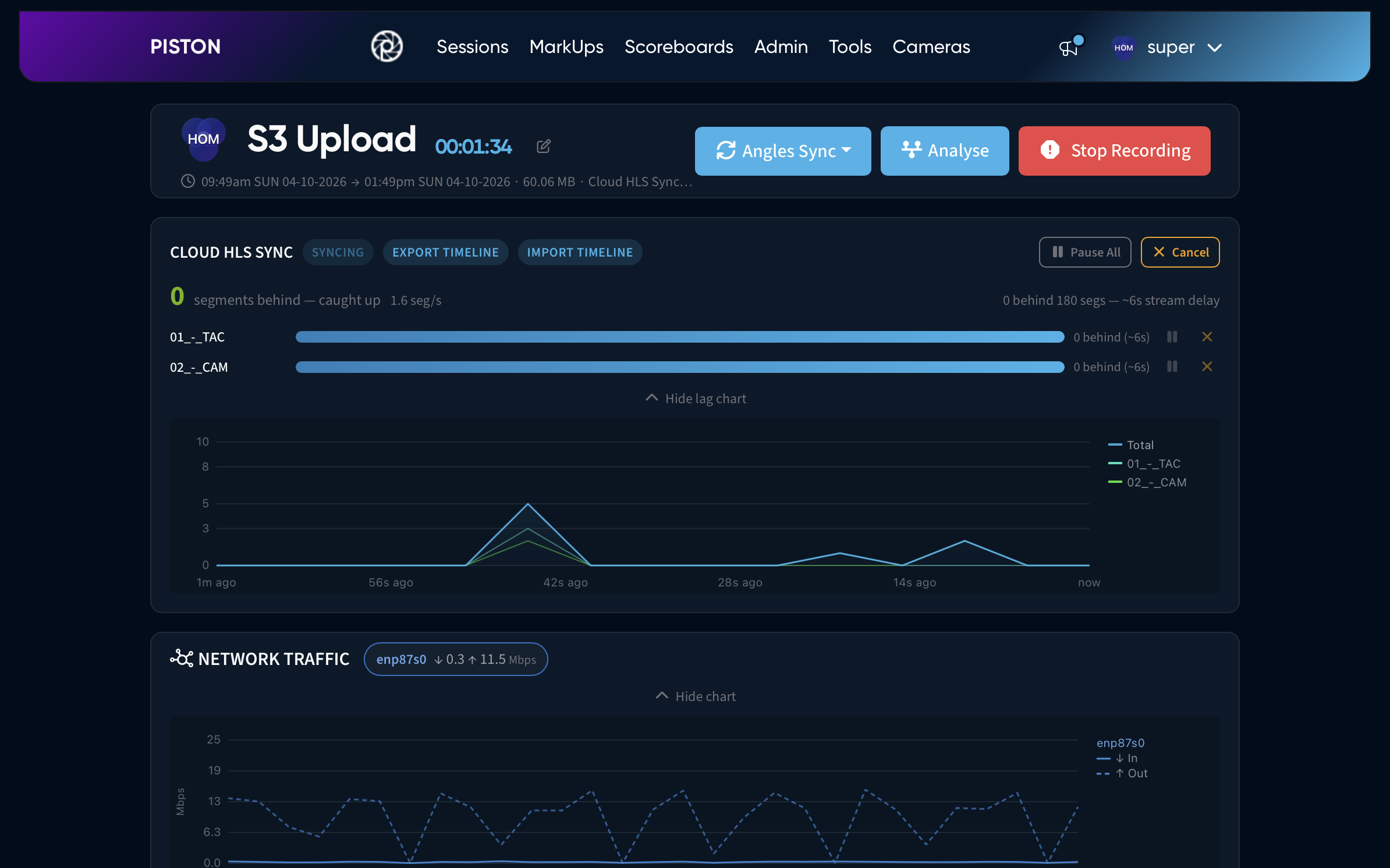
Sync the live stream to AWS S3 as you record, and upload every angle to AWS S3 or Azure Blob Storage when the session ends. With the Angles Sync app, remote analysts and the venue analyst code the same event together, and every timeline change reaches everyone in seconds.
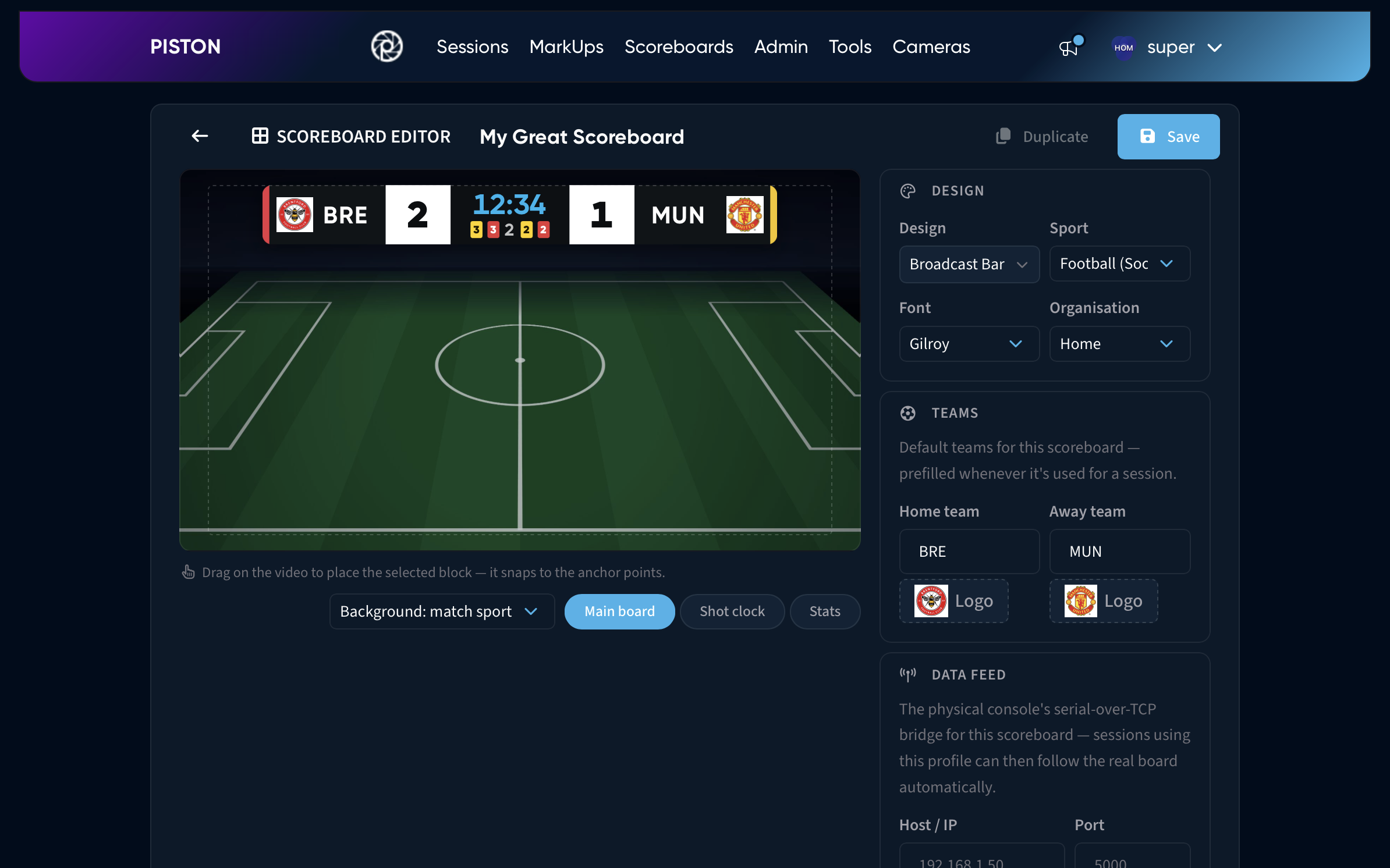
Burn the clock and score into every angle, from the venue's scoreboard feed or from an operator console on any phone.
Share the Streams, Not the Data
Coaches, analysts, event officials, and medical staff can all work from the same Piston system during an event, each in their own organisation, with their own markers and workflows, and none of them in each other's way.
Shared Streams, Separate Workspaces
Several teams or organisations use the same hardware without interference. Everyone sees the same live video; each organisation keeps its own markers, clips and MarkUps.
One Recording, No Duplicates
Admins can start a capture on behalf of other organisations, so an event is recorded once and shared, not once per team. Less storage, no duplicate files.
Your Data Stays Yours
Markers and clips stay private to the organisation that made them, even when the video is shared. Admins decide which organisations can use which cameras and MarkUps, and staff who belong to several organisations switch between them in the app.
Built for You, Not Off the Shelf
Every venue is different. We design and build each Piston system around your cameras, your sport and where it has to live, from a case you can carry to an eight-input build for the stadium.
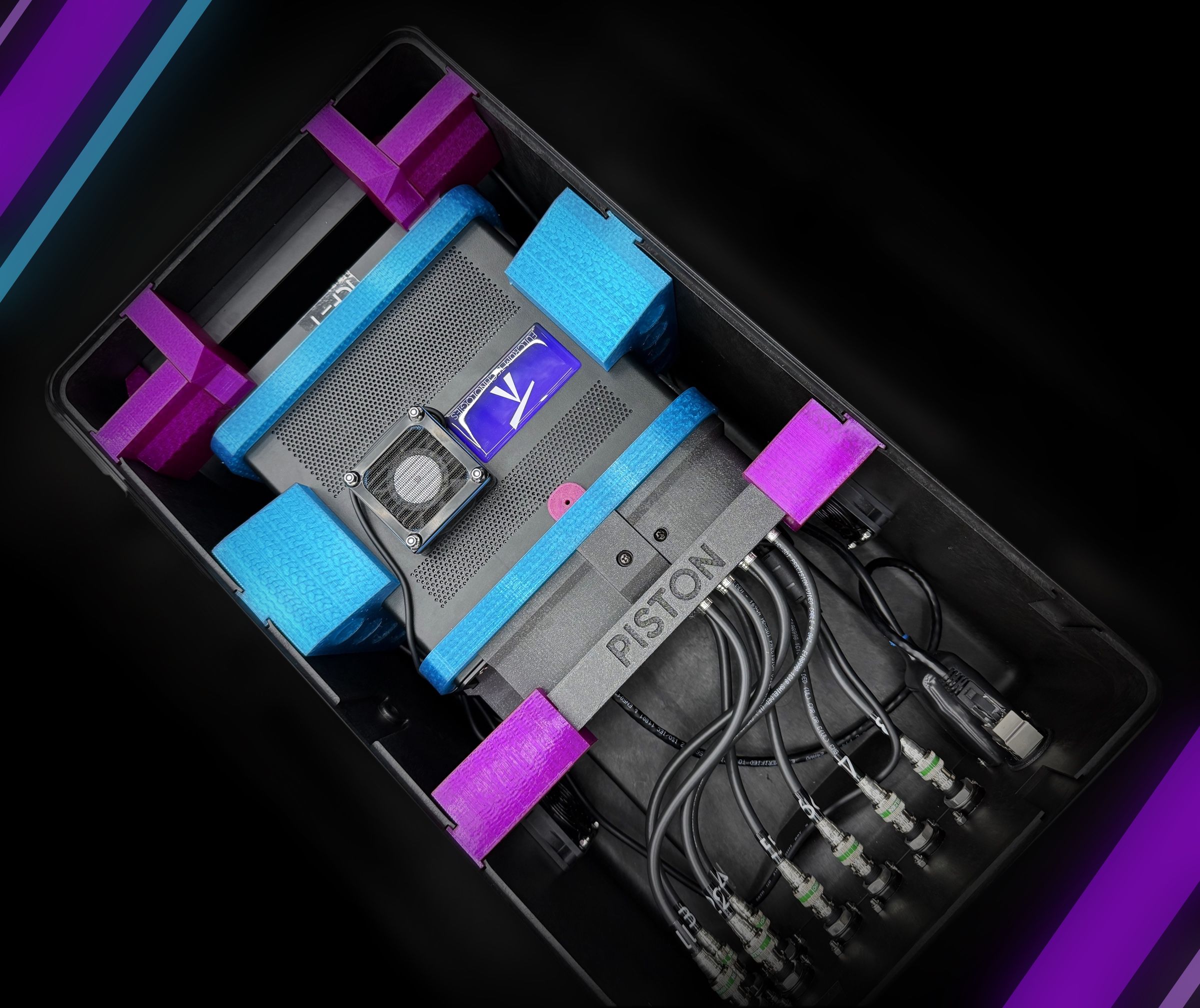
Designed Around Your Setup
Tell us your cameras, inputs and venue. We specify the capture hardware, cabling and connectors to match, from a few IP cameras at training to eight SDI feeds on game day.
Built to Travel
Rugged cases with custom-made mounts that hold every component in place, so the system arrives working and goes from the van to recording in minutes.
Set Up and Supported Remotely
We configure your camera profiles, users and recording schedules remotely, so on day one you plug in and record. Updates and support reach the system wherever it is.

Empower Your Replay.
Deliver instant, multi-angle evidence to your entire staff without device limits or licensing friction. Scale your live capture environment to match the speed of your event.